Know which codes are working.

Menus, flyers and event signs, all counting scans.

Get TracQR on the App Store

Free to download, for iPhone.

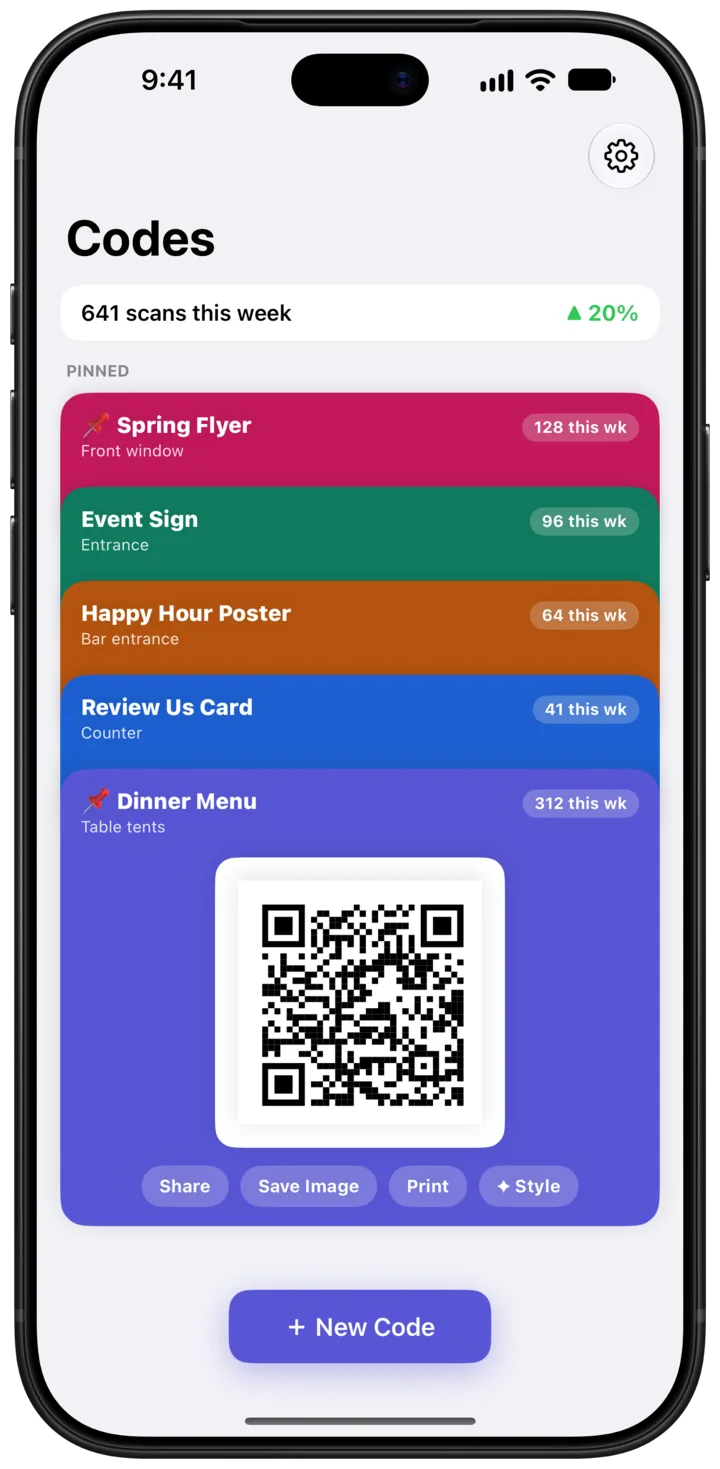
The TracQR wallet on iPhone: a sample café’s five codes as coloured cards, Spring Flyer, Event Sign, Happy Hour Poster, Review Us Card and Dinner Menu, each with its scans this week.

Your printed codes, kept as cards

In the app, each card shows its scans this week against last week.

  1. Restaurant menus

    On the table tents

    See which days and hours people open the menu.

  2. Flyers

    In the front window

    Find out whether anyone scans the flyer at all.

  3. Event signs

    At the entrance

    Count scans at the door, then point the sign at your next event.

Change the link after it’s printed

A tracked code points at a short link. Change where it goes, and the code you already printed follows.

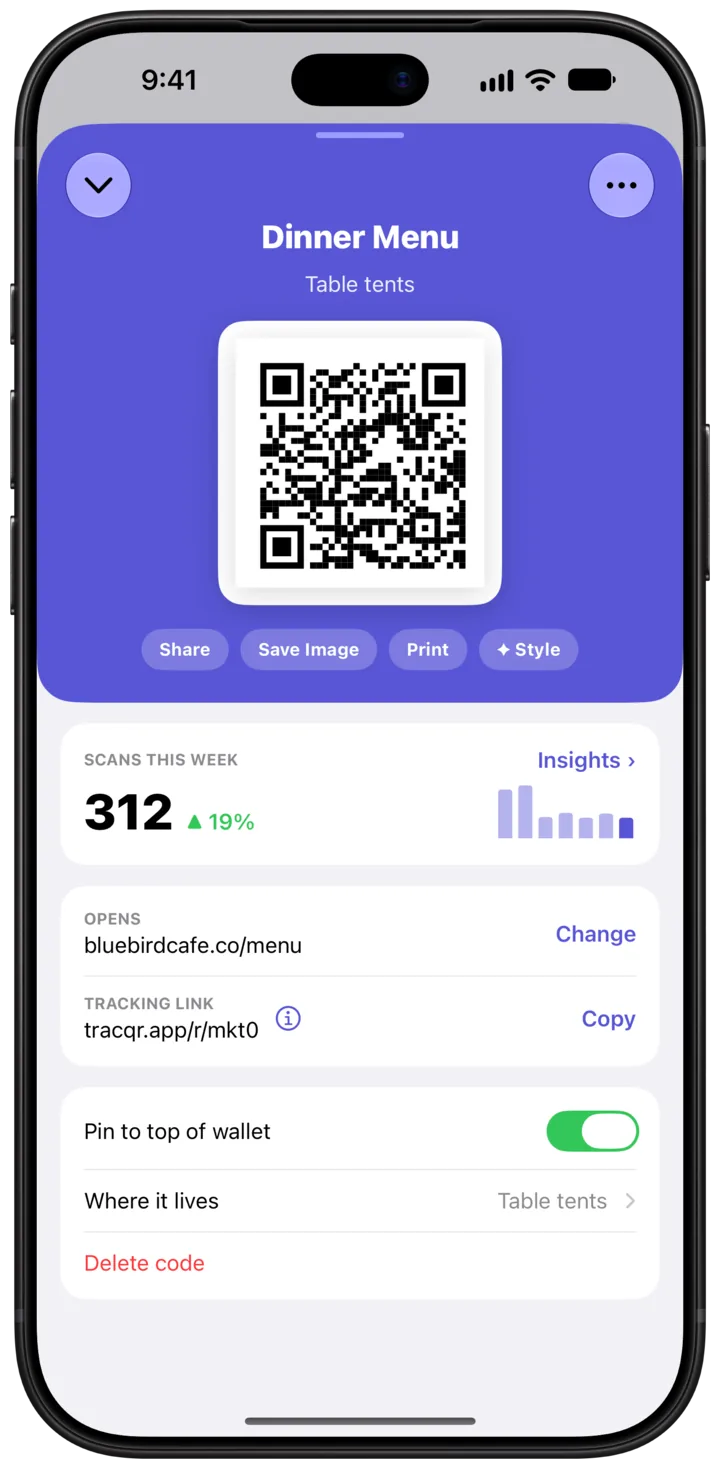
A code’s detail screen: the Dinner Menu code, its scans this week, the page it opens, bluebirdcafe.co/menu, with a Change button, and its tracking link, tracqr.app/r/mkt0.
A code’s detail: the page it opens, with Change beside it, and the short link printed in the code.

Open a card, then its Insights

With Premium, Insights shows scans by day, the busiest hours, the city, state and country, and the devices.
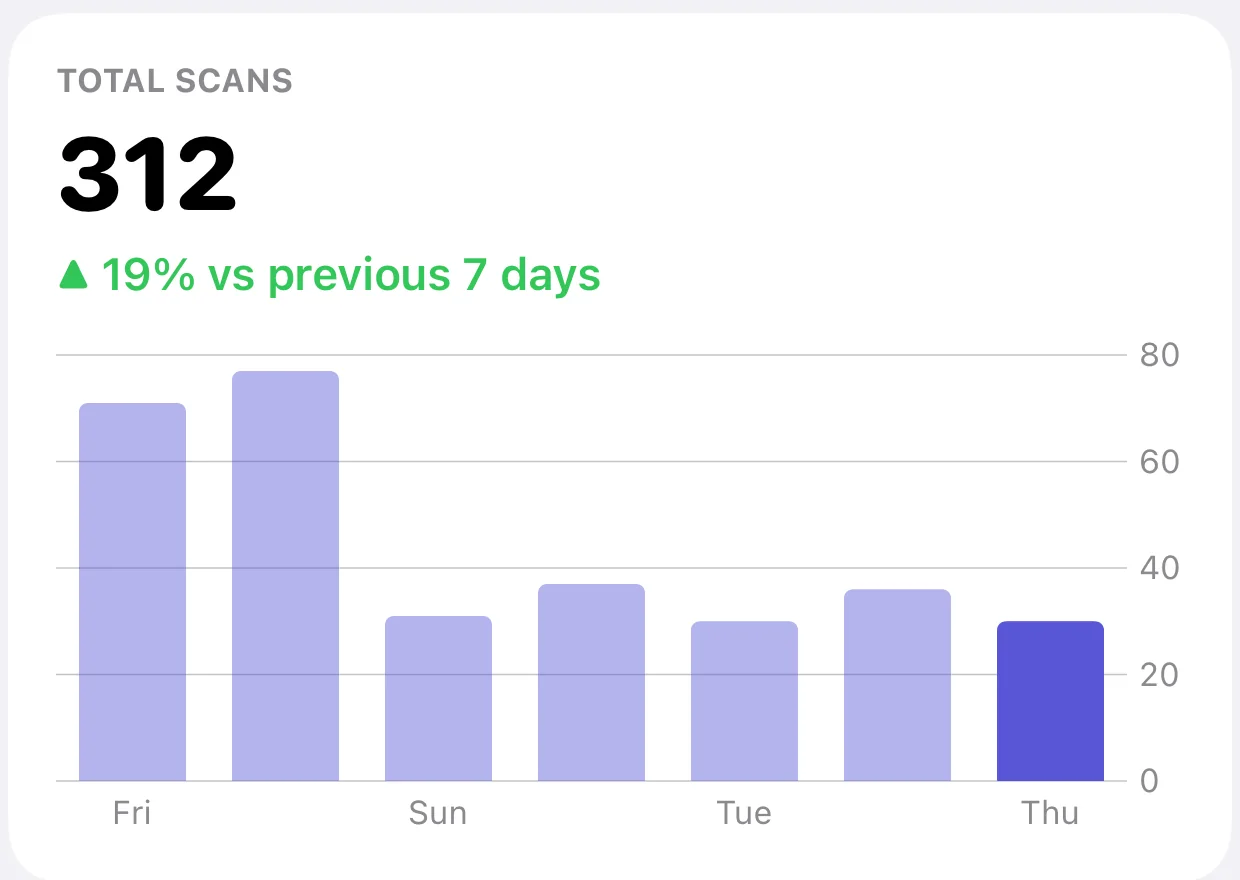
Insights for the sample Dinner Menu code: total scans this week and a bar chart of scans by day.
A sample café’s Dinner Menu: scans by day, for a week, a month, 60 days or a year.
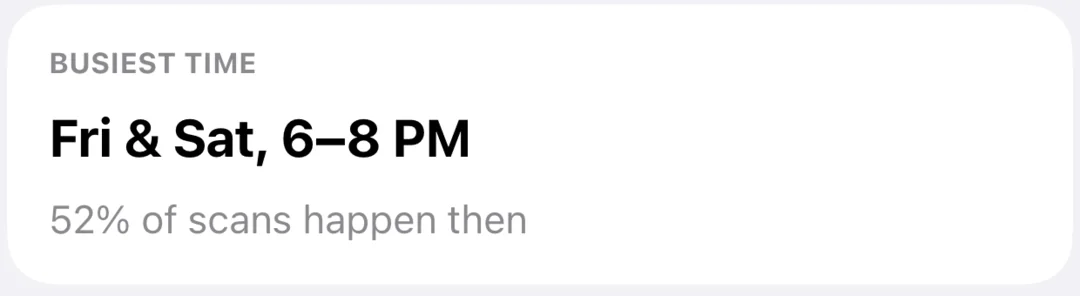
Busiest time: Friday and Saturday, 6 to 8 PM, for the sample code.
The busiest hours of the week.
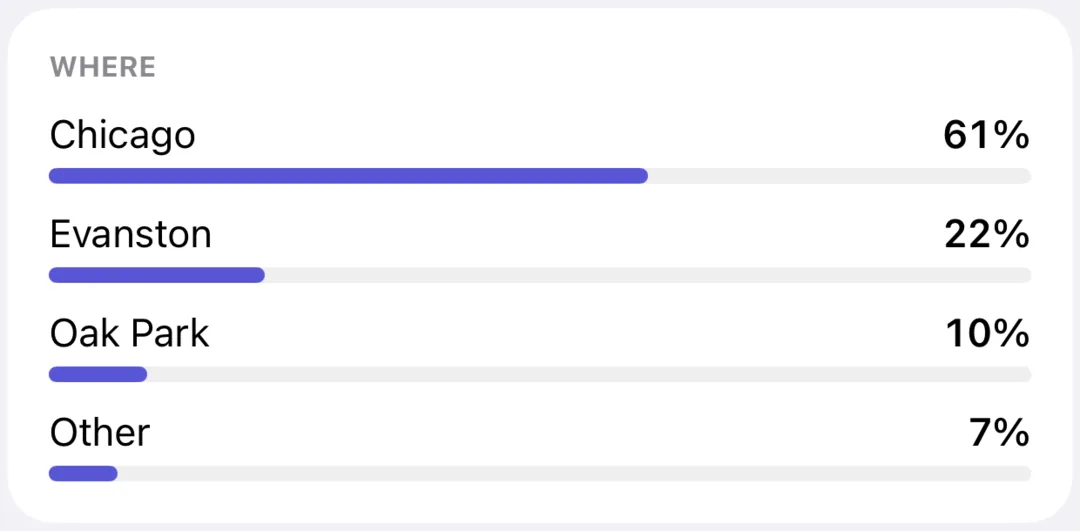
Where: the share of scans from each city for the sample code.
Where the scans come from.

Opened out on iPhone Duo

Unfold it and the wallet sits beside the code’s detail.
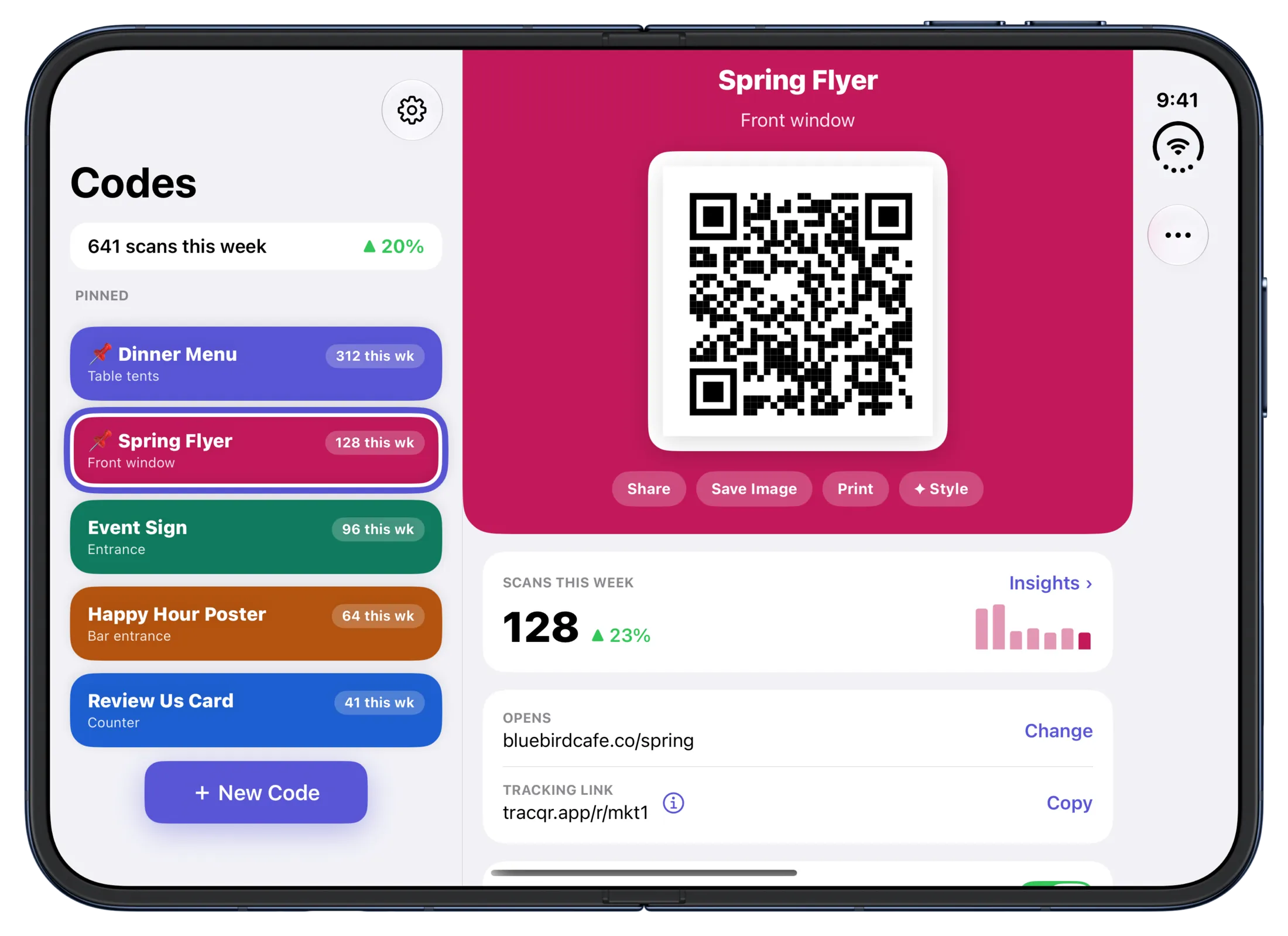
TracQR on an open iPhone Duo: the wallet of codes on the left, and on the right the Spring Flyer code’s detail with the page it opens and its tracking link.
Shown open. Closed, TracQR runs on the outer screen as on any iPhone.

Premium for the whole wallet

$2.99 a month, or $24.99 a year, with the first 7 days free.

Get TracQR on the App Store

Prices from the US App Store.

Unlimited tracked codes
Count scans and change destinations on every code.
Insights
Scans by day, the busiest hours, and where and on which devices people scan.
Styles
Your colours and logo, checked so the code still scans.
Card finishes
Gradients and patterns for the cards in your wallet.
iPhone Duo
Detail and Insights side by side when it’s open.

Where should your first code go?

Sign in with Apple, paste a link, print the code.

Get TracQR on the App Store
QR code for TracQR on the App Store

On a computer? Scan this with your iPhone camera to open the App Store.
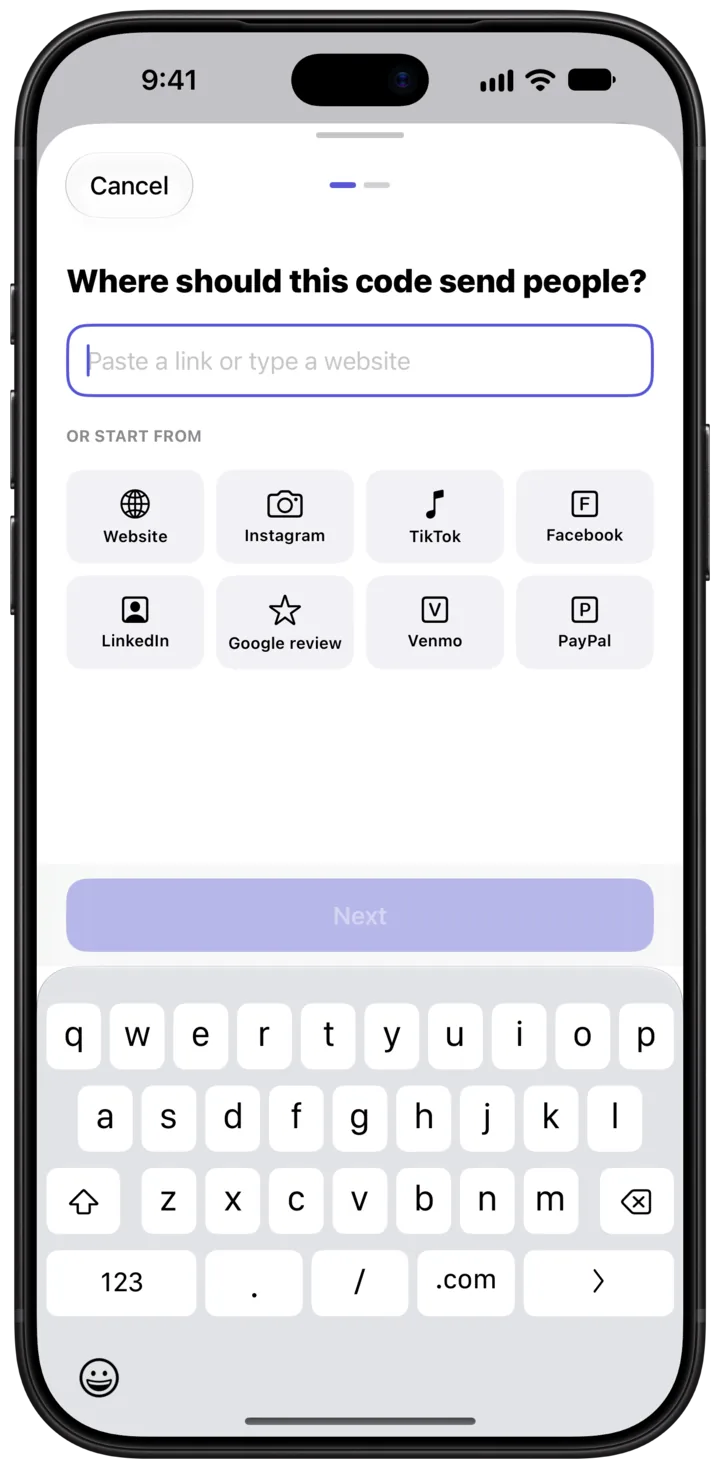
Making a new code in TracQR: the question “Where should this code send people?” above a field for a link, and buttons to start from a website or an app such as Instagram or PayPal.